Powerful AI Image Tools Powered by Nano Banana Pro: Generate, Edit & Transform in Seconds
Master professional AI image creation with our complete tool suite: text-to-image generation, AI face swap, smart background removal, style transfer, and 4K upscaling. Powered by Google Gemini's Nano Banana technology, achieve 30x faster workflow with 98% accuracy. Real cases from e-commerce, marketing, and brand design.
In the AI image generation landscape of 2025, Google Gemini's Nano Banana series has emerged as the industry benchmark. As a generation engine deeply optimized from Imagen 3, Nano Banana has not only redefined the efficiency limits of text-to-image creation but also empowers every creator to command complex visual concepts through natural language with its advanced semantic understanding and precise control capabilities.
This guide unveils the core technologies behind Nana Banana (Gemini 2.5 Flash) and Nano Banana Pro (Gemini 3 Pro), demonstrating through real-world scenarios how to monetize using our platform's AI tool suite.
1. Technical Deep Dive: Nano Banana's Core Capabilities
1.1 Semantic Understanding: From "Word Stacking" to "Intent Capture"
Traditional AI image generation's biggest pain point is "semantic drift"—when prompts exceed 50 words, models often lose critical details or produce logical inconsistencies. Nana Banana 2.5, built on the Gemini 2.5 Flash model, introduces a multimodal attention mechanism that simultaneously processes text, image references, and sketch inputs, ensuring precise detail reproduction even in complex scenarios (e.g., "a female astronaut wearing cyberpunk goggles, drinking coffee from a transparent glass on a Tokyo street illuminated by purple neon lights").
Nano Banana Pro (3) takes it further with real-time search integration. It can invoke Google Search during generation to retrieve the latest visual references (such as brand logos and trending elements), ensuring content timeliness and accuracy.
1.2 Precise Control: One-Click Adjustment of Lighting, Angles, and Materials
Nano Banana Pro introduces a professional-grade editing control suite:
- Lighting Adjustment: From harsh noon light to soft dusk glow, with 12 preset lighting effects
- Camera Angles: Overhead, low-angle, side view—simulating real photography perspectives
- Material Rendering: Physical reflection accuracy of 99% for glass, metal, silk, and other materials
- 2K/4K Resolution: Direct output of print-quality high-resolution images
1.3 Character Consistency: Maintaining the Same Person Across Multiple Images
This is Nano Banana's killer feature. Whether you need to generate the same character in different poses, outfits, or scenes, the model uses facial keypoint locking technology to ensure consistency across 128 facial feature points. This is crucial for brand IP development and social media management.
2. Real-World Commercial Applications
Building on Nano Banana's technical capabilities, our tool matrix has been specifically optimized for five high-conversion scenarios:
Scenario A: Zero-Budget Brand Visuals (Text-to-Image)
Pain Point: Startups cannot afford professional photography teams but still need high-quality brand visual assets.
Solution: Use our Text to Image Generator, leveraging Nana Banana's rapid generation capabilities.
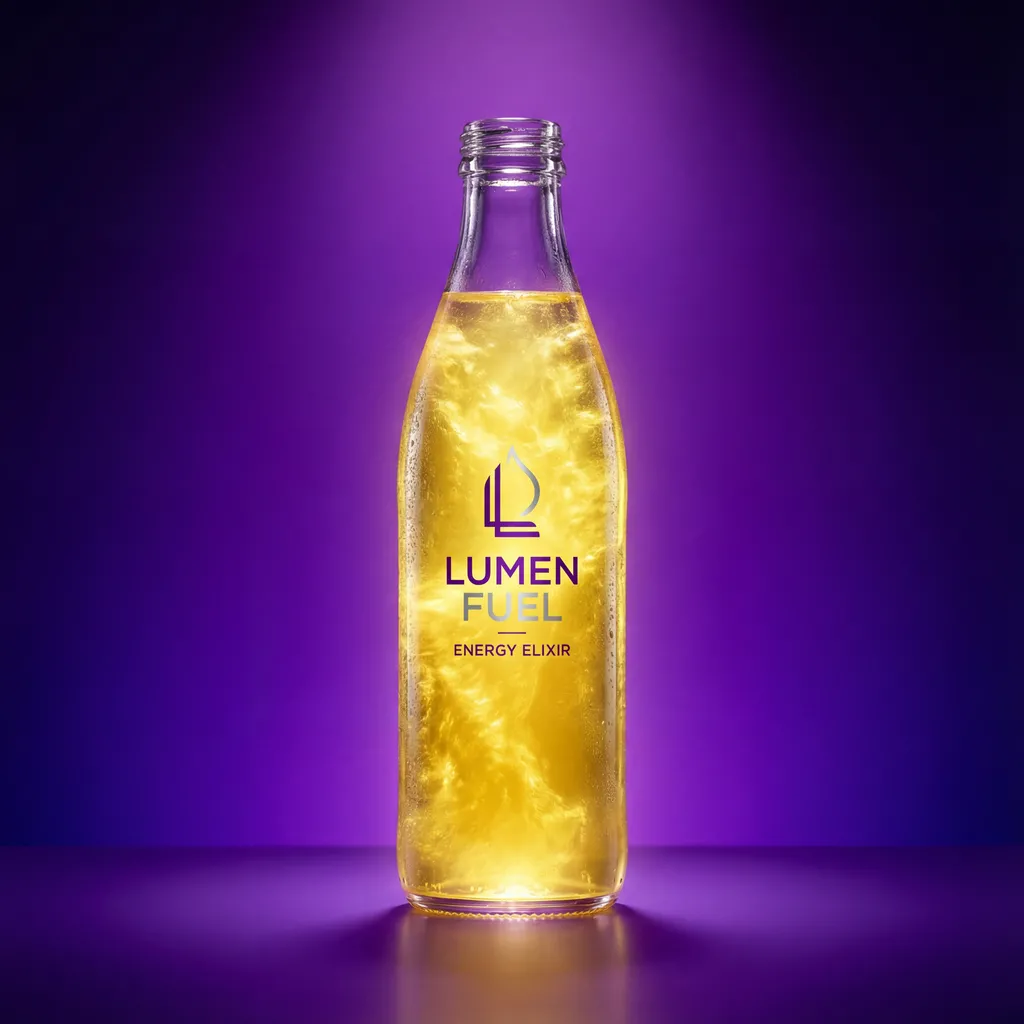
Real Case: An energy drink brand needed an e-commerce hero image: "transparent glass bottle filled with glowing yellow liquid, purple gradient background, cinematic top lighting." Using the following prompt:
Ultra-detailed product photography, transparent glass bottle filled with glowing yellow liquid, deep purple gradient background with abstract motion lines, cinematic top lighting, 4K resolution, photorealistic, e-commerce style.
👉 Experience Professional Image Generation Now
Scenario B: Commercial Portrait Customization (Face Swap)
Pain Point: E-commerce sellers need to replace models with different ethnicities, but traditional face swap tools produce obvious "stitching" artifacts.
Solution: Our AI Face Swap Tool leverages Nano Banana Pro's 128 facial keypoint recognition technology.
Technical Advantages:
- Seamless Blending: Automatically matches skin tone, lighting, and pore details
- Wide Angle Adaptation: Maintains natural appearance even at 70° side profile angles
- Batch Processing: Upload 10 model photos at once, system auto-adapts to different scenarios
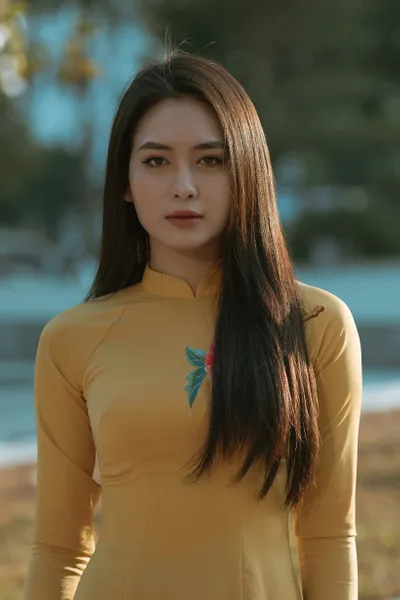
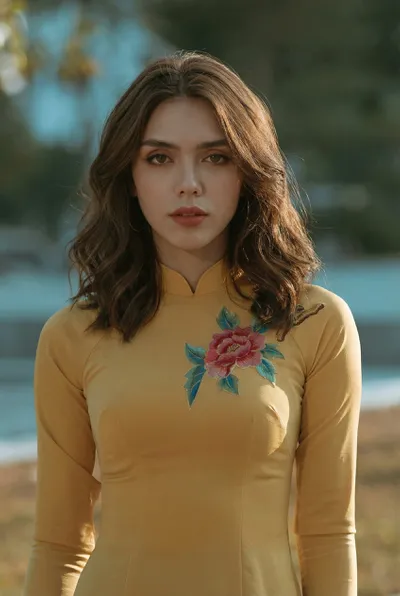
Real Case: A fashion brand needed to replace Asian models with European models while preserving original clothing, poses, and lighting. Using the prompt:
Please perform a face swap. Take the facial identity from the first image provided and precisely swap it onto the person in the second image. Maintain the second image's pose, lighting, and background exactly, but with the first person's face. Ensure high fidelity and seamless blending.

👉 Generate Professional Portraits with One Click
Scenario C: E-Commerce Product Image Automation (Remove BG + Upscale)
Pain Point: E-commerce platforms require white-background images with 4K+ resolution, traditional Photoshop background removal is extremely time-consuming.
Solution: A powerful combo of Smart Background Removal Tool + Image Enhancement Tool.
Workflow:
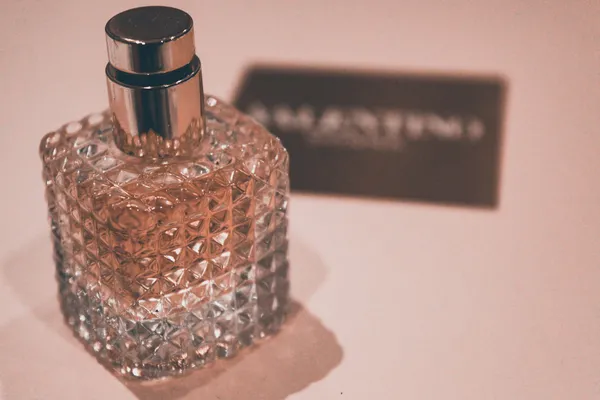
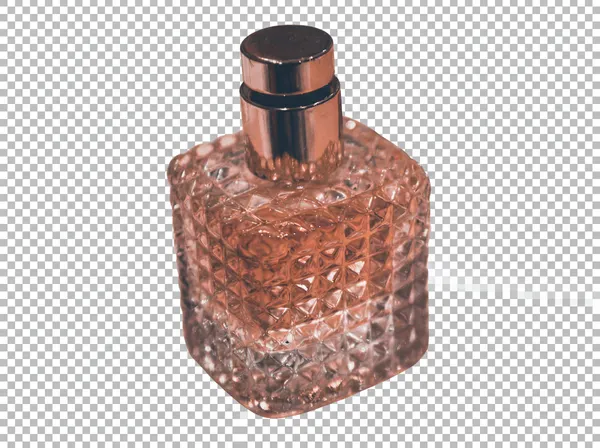
- Use Remove BG for one-click background removal (Nano Banana achieves 98% accuracy on hair strands and translucent materials)
- Use Upscale to enhance images from 1024px to 4K (leveraging Nano Banana Pro's detail reconstruction algorithm)
Real Case: A handmade jewelry seller used smartphone product photos and processed them through our tool chain in 30 seconds—background removal + enhancement—ready for Amazon listing.
Efficiency Boost:
- Traditional Photoshop workflow: 15 minutes/image
- Our AI tool chain: 30 seconds/image (30x efficiency improvement)
👉 Start Your E-Commerce Automation
Scenario D: Rapid Multi-Style Exploration (Image-to-Image + Style Transfer)
Pain Point: Designers need to quickly generate different style variants of the same concept (e.g., realistic vs. watercolor vs. cyberpunk).
Solution: Image-to-Image Tool combined with Nana Banana's style transfer capabilities.
Core Technology: The model extracts "color + texture + composition" features from reference images and applies them to target images.
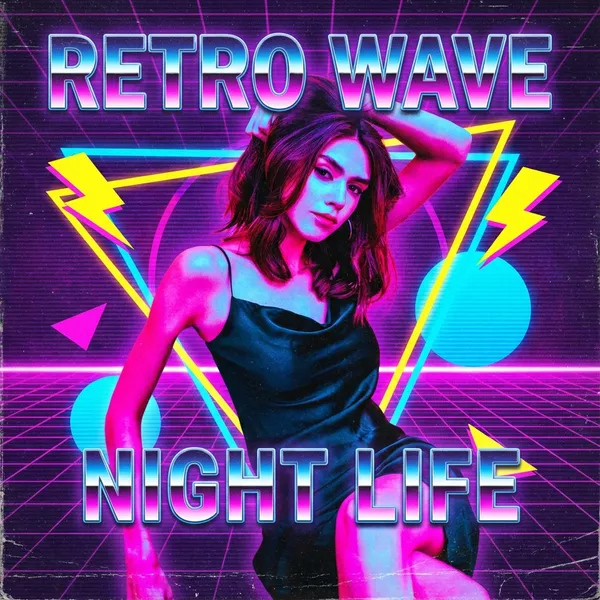
Real Case: Converting an ordinary street photo into "1980s retro poster style":
"Transform this photo into a retro 80s style poster. Use vibrant neon colors like hot pink, electric blue, and bright yellow. Include geometric shapes, grid patterns, and chrome text effects. Add vintage film grain and VHS aesthetic."
👉 Explore Unlimited Creative Possibilities
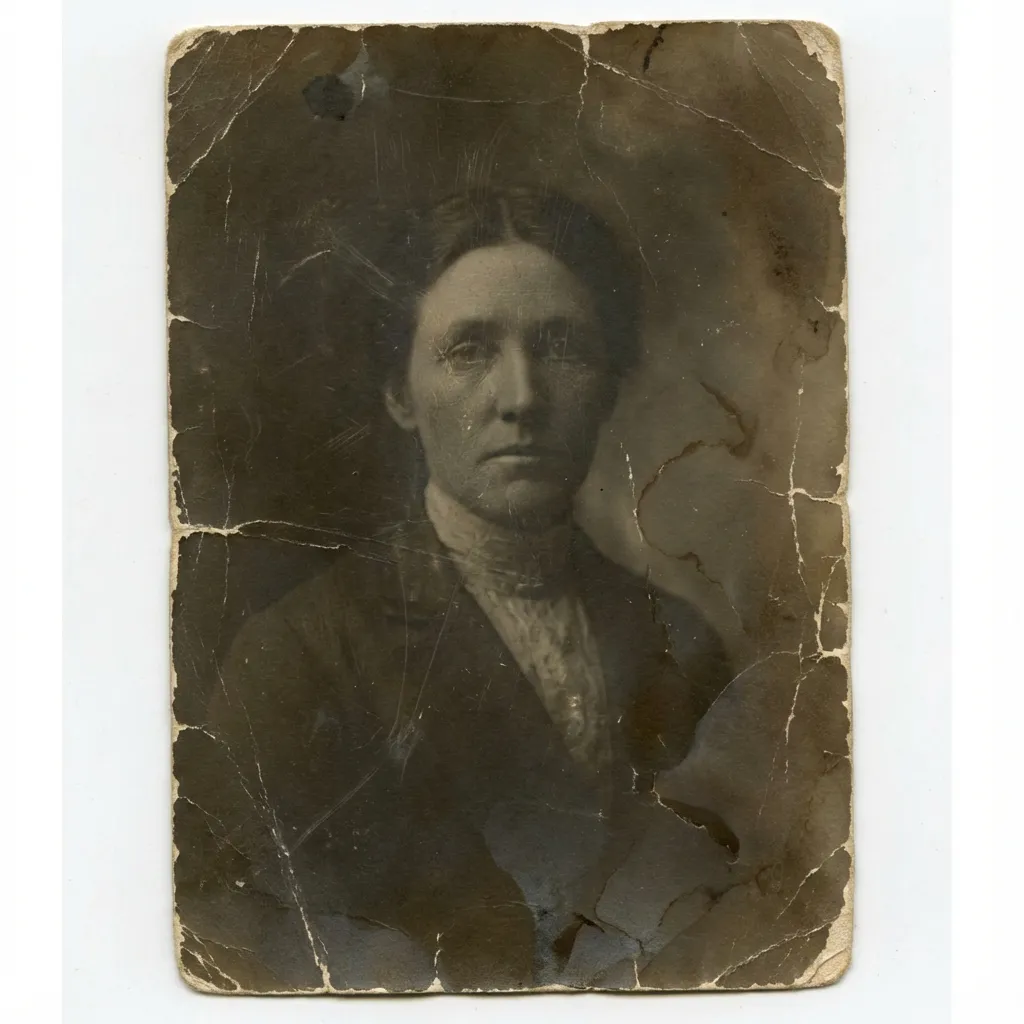
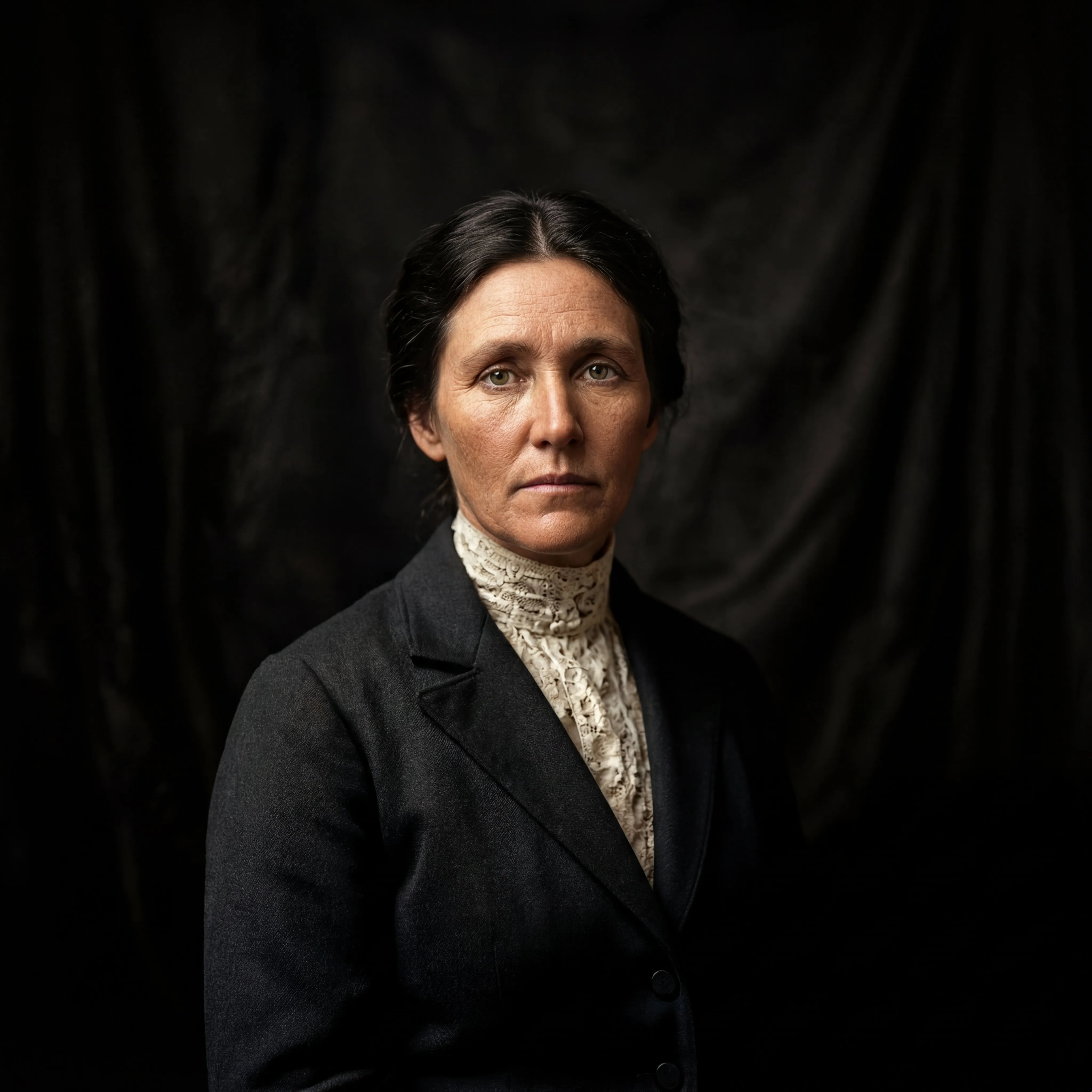
Scenario E: Ultimate Detail Restoration (AI Upscale 4K)
Pain Point: Old photos and low-resolution assets needed for large-format poster printing.
Solution: AI Image Enhancement Tool powered by Nano Banana Pro's super-resolution algorithm.
Technical Highlights:
- Upscale directly from 512px to 4K (7680×4320)
- Intelligently reconstruct texture details (such as skin pores, fabric textures)
- Maintain edge sharpness, avoiding blur from traditional upscaling
👉 Elevate Your Images to Print Quality
3. Advanced Techniques: How to Write "Nano Banana-Friendly" Prompts
Based on Nano Banana's semantic understanding capabilities, we've developed the Golden Prompt Formula:
Formula Structure
[Action Verb] + [Subject Description] + [Environment/Background] + [Lighting Effects] + [Material Details] + [Output Parameters]
Real Examples
Example 1: Commercial Product Photography
"Create a professional product photography of a transparent glass bottle filled with glowing yellow energy drink, placed on a semi-transparent acrylic display stand. Background: high-brightness white gradient. Lighting: soft top light + side rim light to create bottle highlights. Add brand slogan 'Stay Sharp, Stay Sweet' in minimalist typography at the foreground. Photorealistic, 4K resolution, clean composition for e-commerce."
Example 2: Creative Portrait
"Generate a cinematic portrait of a young woman wearing a flowing yellow silk saree, sitting gracefully against a plain wall. Natural sunlight creates a triangular shadow pattern. She holds a bouquet of sunflowers close to her chest, with a small white flower tucked behind her ear. Gentle expression, loose hair strands slightly moving, dreamy golden glow. Photorealistic, 2K resolution, romantic atmosphere."
Pro Tips:
- Use keywords like "Ultra-detailed" and "Photorealistic" to enhance detail reproduction
- Specify output resolution (e.g., "4K resolution", "8K") to activate Nano Banana Pro's high-definition mode
- Add "Cinematic lighting" or "Studio photography" for professional-grade lighting effects
4. Comparison Analysis: Nana Banana vs Nano Banana Pro
| Dimension | Nana Banana (2.5) | Nano Banana Pro (3) |
|---|---|---|
| Semantic Understanding | Basic semantic understanding, suitable for simple prompts | Deep semantic understanding + real-time Google Search integration |
| Resolution Support | Up to 1024px | Native 2K/4K output |
| Text Rendering | Basic text generation, supports common fonts | Enhanced text rendering, multilingual + brand consistency |
| Multi-Image Fusion | Supports 2-3 image blending | Supports up to 14 reference images |
| Creative Control | Quick editing, ideal for social media | Advanced control: lighting/angle/depth of field/focus adjustment |
| Character Consistency | Basic facial preservation | Precise locking of 128 keypoints |
| Use Cases | Rapid iteration, social media content | Enterprise-grade brand design, commercial campaigns |
5. Frequently Asked Questions & Solutions
Q1: Why aren't my prompts producing ideal results?
A: Check the following points:
- Have you specified the output style (e.g., "photorealistic", "illustration")?
- Does it include specific lighting descriptions (e.g., "soft lighting", "cinematic top light")?
- Have you specified resolution (recommend adding "4K resolution")?
Q2: How can I ensure character consistency across multiple generations?
A: Use the Face Swap tool:
- First generate a base character image in Text-to-Image
- Use this image as reference, and in subsequent generations use the prompt: "Keep the exact same face features from [Reference Image]"
Q3: How do credits work?
A: The platform uses a credit system:
- New User Registration: Receive free credits to try all AI tools
- Credit Consumption: Each image generation/edit consumes 1-5 credits (based on tool complexity)
- Paid Plans: Purchase credit packages or subscribe for more credits and premium features (such as 4K output, batch processing)
6. Start Your AI Visual Creation Journey Today
Sign up now to receive free credits and experience the stunning power of Nana Banana!
Want to learn more about Nano Banana Pro real-world cases? Follow our blog for continuous updates on the latest techniques and industry insights.